Unlocking Visual Depth with Procreate Texture Pattern Brushes
In the evolving landscape of digital illustration, the gap between traditional media and screen-based art continues to narrow. Artists are no longer satisfied with flat, sterile lines; they crave the tactile sensation of paper grain, the roughness of charcoal, and the organic imperfections of ink on canvas. This is where Procreate Texture Pattern Brushes become an indispensable tool in your creative arsenal. By integrating these specialized assets into your workflow, you can transform simple sketches into rich, layered compositions that demand attention.
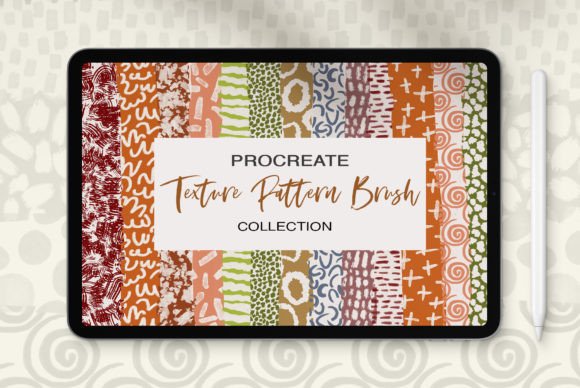
This article explores a comprehensive collection of 58 brushes designed specifically to add bold or subtle textures and visual interest to your projects. Whether you are a hobbyist sketching on an iPad during your commute or a professional illustrator delivering client work, understanding how to leverage these tools can significantly elevate the quality of your output.
The Power of Texture in Digital Art
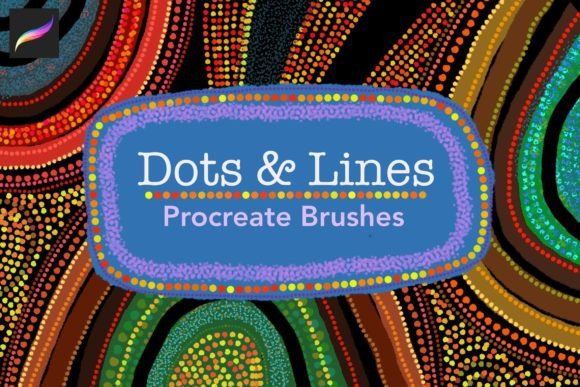
Texture is often the unsung hero of compelling design. It provides context, mood, and depth. Without it, digital art can sometimes feel too perfect, lacking the human touch that resonates with viewers. Texture Pattern Brushes for Procreate address this by simulating real-world materials directly within the app. They allow you to break up solid colors, add grit to backgrounds, or create intricate patterns that would otherwise take hours to draw by hand.
The primary value of this specific collection lies in its versatility. With 58 distinct brushes, you are not limited to a single style. The set includes both positive and negative versions of each brush. This dual approach is crucial for efficient workflow. A positive brush adds texture to your layer, while the negative version acts as an eraser or mask, allowing you to subtract texture with the same shape and consistency. This symmetry ensures that your edits look intentional and cohesive, rather than messy or disjointed.
Who Benefits from These Tools?
The utility of Procreate Texture Pattern Brushes extends across various creative disciplines. Here is a breakdown of who can gain the most from integrating this pack into their library:
- Illustrators: Add atmospheric depth to character backgrounds or clothing details without leaving the app.
- Graphic Designers: Create unique logos, posters, and social media graphics that stand out in a saturated digital market.
- Lettering Artists: Apply gritty or smooth textures to typography to give hand-drawn fonts a more authentic, analog feel.
- Concept Artists: Quickly block in environmental textures like stone, fabric, or foliage to speed up the ideation process.
Exploring the Collection: Features and Characteristics
When evaluating any digital asset, it is essential to look beyond the marketing hype and examine the actual characteristics. This collection of 58 brushes is designed with usability in mind. The inclusion of both bold and subtle options means you can adapt the intensity of the texture to suit your specific project needs.
For instance, a bold texture might be perfect for a grunge-style poster or a dramatic comic book background. In contrast, a subtle texture can mimic the fine grain of high-quality watercolor paper, providing just enough tooth for digital paints to grip without overpowering the illustration. The ability to toggle between these intensities allows for a nuanced approach to composition.
Furthermore, the positive and negative functionality cannot be overstated. In traditional painting, you add paint to create texture and use solvents or scrapers to remove it. In Procreate, having a brush that mirrors its own eraser shape allows for a similar level of control. You can stamp a texture, realize it is too heavy in one area, and immediately switch to the negative version to lift away excess detail seamlessly.
Practical Applications and Real-World Scenarios
Understanding the theory is one thing; applying it is another. Let us look at some practical scenarios where Texture Pattern Brushes for Procreate can solve common creative challenges.
- Enhancing Flat Vector-Style Art: If you create clean, vector-like illustrations but want them to feel more organic, apply a subtle noise or paper grain texture over the entire piece using a multiply blend mode. This unifies the colors and adds a printed aesthetic.
- Creating Custom Backgrounds: Instead of searching for stock photos, use the bold pattern brushes to generate unique backgrounds. Layer different textures with varying opacities to create complex, abstract surfaces that are entirely original.
- Adding Wear and Tear: For product mockups or vintage-style designs, use the negative brushes to "scratch" away parts of a solid color layer. This creates the illusion of age, wear, and physical interaction with the surface.
- Textural Lettering: When working on hand-lettering projects, avoid solid fills. Use a texture brush to fill in your letters. This gives the text weight and personality, making it feel like it was stamped or painted onto the page.
Evaluating Suitability for Your Projects
Not every project requires heavy texturing. Knowing when to use these tools is as important as knowing how. Before diving in, consider the end goal of your artwork. Is it meant to look sleek and modern? If so, stick to the subtlest textures in the pack, or use them sparingly as accent elements. Is the goal to evoke nostalgia or raw emotion? Then the bold, gritty brushes will serve you well.
It is also vital to consider the technical constraints. NOTE: These brushes are only compatible with the Procreate App. They will not work in Photoshop, Clip Studio Paint, or other software. This limitation is significant for professionals who rely on cross-platform workflows. However, for those fully invested in the Apple ecosystem and the Procreate environment, this specialization ensures optimal performance and responsiveness.
Additionally, consider the resolution of your canvas. High-detail textures perform best on larger canvases. If you are working on a small icon or a low-resolution web banner, some of the finer details in the 58-brush set may get lost. Always test a few strokes on your actual canvas size to ensure the texture scales appropriately for your needs.
Maximizing Value Through Experimentation
To truly master Procreate Texture Pattern Brushes, you must experiment. Do not be afraid to combine multiple brushes. Try stacking a subtle paper grain with a bold splatter effect. Adjust the opacity, flow, and blending modes. The magic of digital art is the ability to undo and iterate without cost.
Start by creating a "swatch library." Dedicate a separate layer in your favorite sketchbook file to test each of the 58 brushes. Label them clearly. Note which ones work best for backgrounds, which are ideal for detailing, and which serve as effective erasers. Having this reference guide will save you time when you are in the flow state and do not want to interrupt your creativity to search for the right tool.
Remember that texture should support the narrative of your art, not distract from it. If a viewer notices the texture before they notice the subject, you may have overdone it. Use these brushes to enhance the story you are telling, whether that story is one of rugged durability, delicate elegance, or chaotic energy.
Final Thoughts on Creative Enhancement
The integration of Texture Pattern Brushes for Procreate into your daily workflow represents a shift towards more tactile, expressive digital art. With 58 versatile options, including both positive and negative variants, this collection offers a robust solution for artists seeking to add depth and character to their work. While the compatibility is limited to the Procreate app, the benefits for users within that ecosystem are substantial.
By understanding the strengths and limitations of these tools, and by applying them with intention, you can bridge the gap between digital precision and analog warmth. Happy Creating! Embrace the imperfections, explore the layers, and let texture bring your digital visions to life.