Mastering Digital Fluidity with Realistic Watercolor Procreate Brushes
The transition from traditional media to digital illustration often presents a significant hurdle for artists who cherish the organic unpredictability of physical materials. Among these, watercolor is perhaps the most challenging to replicate due to its reliance on paper texture, water saturation, and pigment granulation. However, the advent of sophisticated digital tools has bridged this gap, allowing creators to achieve authentic results without the mess or material costs. At the heart of this digital revolution are Realistic Watercolor Procreate Brushes, which have become indispensable for illustrators, lettering artists, and designers seeking the warmth and depth of hand-painted art within a versatile digital workflow.
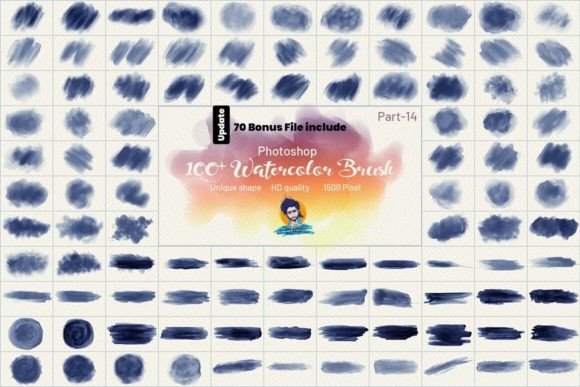
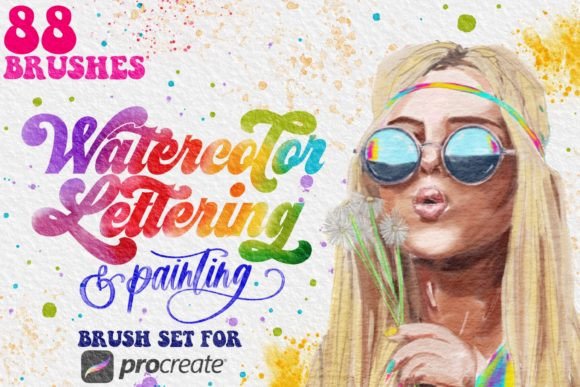
Understanding how to leverage these tools requires more than just downloading a pack; it demands an appreciation for the mechanics behind digital simulation and the specific features that make a brush set truly professional. A comprehensive toolkit, such as the welcome collection featuring eighty-eight distinct brushes and four watercolor paper templates, offers a robust foundation for exploring this medium. By examining the components of such a set—from lettering-specific tools to background stamps and smudge utilities—artists can unlock a level of creative freedom that mirrors, and in some cases exceeds, the capabilities of traditional paint.
The Architecture of Authentic Digital Texture
The primary challenge in digital watercolor is avoiding the "plastic" look that plagues many standard brush presets. Authenticity comes from texture. In high-quality brush packs, every texture is made by hand, scanned from real-world materials, and meticulously mapped to the digital engine. This process ensures that when a stroke is applied, it interacts with the virtual canvas in a way that mimics the capillary action of water on cold-press or hot-press paper.
When utilizing Realistic Watercolor Procreate Brushes, the inclusion of dedicated paper templates is crucial. These are not merely background images but functional layers that influence how the pigment behaves. The four watercolor paper templates typically included in premium sets provide varying degrees of tooth and absorbency. For instance, a rougher template will cause the digital pigment to break up more aggressively, creating those coveted granulation effects where pigment settles into the valleys of the paper. Conversely, a smoother template allows for softer blends and more controlled washes. Understanding which template suits your current project is the first step toward achieving a believable aesthetic.
Specialized Tools for Lettering and Calligraphy
One of the most popular applications for digital watercolor is hand-lettering. Traditional watercolor lettering requires immense precision and confidence, as mistakes are difficult to correct once the paint dries. Digital tools remove this pressure while retaining the artistic flair. A well-curated brush pack includes lettering-specific brushes designed to mimic the flow of a round brush or a flat wash brush.
A key feature to note in these specialized tools is the streamline setting. Streamline stabilizes the stroke, smoothing out jitters and creating elegant, flowing curves essential for calligraphy. However, versatility is paramount. Many lettering brushes in advanced sets can also be used for painting elements. By simply turning the streamline down, the same brush that creates perfect script can be used for loose, expressive botanical illustrations or abstract backgrounds. This dual functionality reduces the need to switch tools constantly, maintaining creative momentum. Artists can experiment with pressure sensitivity to vary line weight, replicating the natural thick-and-thin variations found in traditional brush pen work.
Building Depth with Backgrounds and Stamps
Creating a cohesive composition often requires more than just the main subject. Backgrounds set the mood and provide context. Painting large, seamless watercolor washes digitally can be time-consuming if done stroke by stroke. This is where background brushes and stamps become invaluable. These tools allow artists to lay down complex textures, gradients, and atmospheric effects quickly.
Stamps, in particular, offer a library of pre-made elements such as leaves, flowers, or abstract shapes that can be scattered across the canvas. While some purists may argue against using stamps, they serve as excellent starting points or compositional aids. They can be layered, rotated, and color-adjusted to fit the scene. When combined with painting-specific brushes, stamps help build a rich, layered environment that feels organic rather than repetitive. The key is to use them sparingly and modify them with additional hand-painted details to ensure uniqueness.
The Role of Smudge and Accent Brushes
Watercolor is defined by its fluidity and the way colors bleed into one another. In a digital environment, this effect is achieved through smudge brushes. Unlike standard smudge tools that simply blur pixels, specialized watercolor smudge brushes simulate the movement of wet pigment. They pull color from one area to another, creating soft edges and natural transitions that are difficult to achieve with hard-edged erasers or opacity adjustments.
To make watercolor pieces truly pop, accent brushes are essential. These include splatter brushes, dry brush textures, and fine detail liners. Splatters add a sense of energy and spontaneity, breaking up the uniformity of digital perfection. A light tap with a splatter brush can mimic the accidental flicks of a loaded brush, adding character and realism. Dry brush textures, on the other hand, simulate the effect of a brush with little water left, creating scratchy, textured marks that reveal the paper underneath. These accents provide contrast and visual interest, guiding the viewer’s eye through the composition.
Workflow Integration for Professionals and Hobbyists
For professionals, time efficiency is critical. A comprehensive brush set streamlines the workflow by providing all necessary tools in one place. Instead of searching for separate plugins or creating custom brushes from scratch, artists can dive straight into creation. The organization of the brush pack matters; having categories for lettering, painting, smudging, and accents allows for quick access during intense creative sessions.
Hobbyists and educators also benefit significantly from these tools. For educators, teaching watercolor techniques digitally removes barriers to entry such as cost and cleanup. Students can experiment with color theory and composition without wasting physical supplies. The ability to undo and redo actions encourages experimentation and risk-taking, which is vital for learning. Furthermore, the consistent quality of Realistic Watercolor Procreate Brushes ensures that students focus on technique rather than fighting with inadequate tools.
Business owners in the creative industry, such as greeting card designers or print-on-demand sellers, find these brushes particularly useful for creating scalable, high-resolution assets. Digital watercolor files can be easily adjusted for different formats and products, from small stickers to large wall art. The flexibility of digital layers allows for easy color changes, enabling creators to offer multiple variations of a single design without repainting the entire piece.
Considerations for Optimal Results
While digital tools offer immense power, they require a different approach than traditional media. Pressure sensitivity settings on the iPad or tablet must be calibrated to match the artist’s hand. Too much pressure can result in overly opaque strokes, while too little may fail to trigger the texture effects. It is advisable to spend time testing each brush on the provided paper templates to understand its behavior.
Layer management is another critical consideration. Watercolor relies on transparency. In Procreate, using multiply blending modes for subsequent layers can simulate the glazing technique, where colors deepen as they overlap. However, overusing this effect can lead to muddy colors. Artists should aim for a balance between transparent washes and opaque accents. Additionally, keeping the canvas resolution high ensures that the hand-made textures remain crisp and detailed, even when zoomed in for fine work.
Ultimately, the value of a brush pack lies in its ability to inspire. With eighty-eight brushes and multiple templates, the possibilities are vast. Whether creating intricate floral arrangements, bold typographic quotes, or atmospheric landscapes, the right tools empower artists to express their vision with clarity and beauty. By mastering the nuances of streamline settings, texture interactions, and layer blending, creators can produce work that resonates with the warmth and humanity of traditional watercolor, all within the convenience of a digital device.