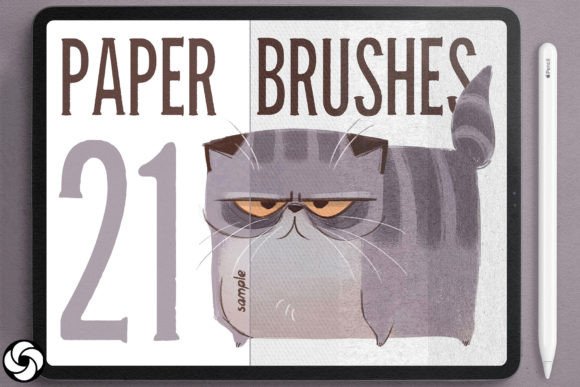
Evaluating 21 Paper Brushes for Procreate and Seamless Textures
Digital illustration has evolved significantly, moving beyond flat, sterile surfaces to embrace the tactile warmth of traditional media. For artists using the iPad, achieving this organic feel often requires more than just standard digital tools. This is where specialized assets like 21 Paper Brushes for Procreate and accompanying seamless digital paper textures become essential components of a modern artist’s toolkit. These resources are designed to bridge the gap between analog authenticity and digital convenience, offering users a way to infuse depth, character, and realism into their work without the mess of physical supplies.
Understanding the Asset Package
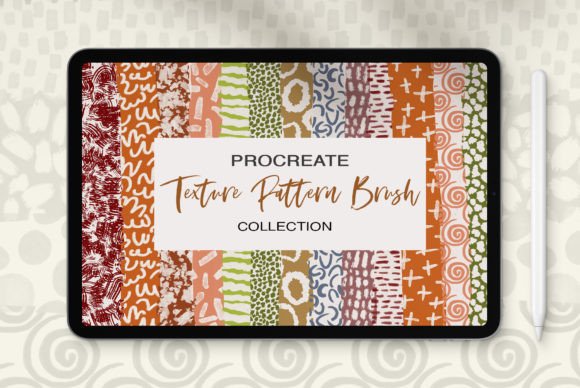
The core offering consists of two distinct but complementary elements: a set of twenty-one custom brushes and a collection of high-resolution, seamless paper textures. The brushes are engineered specifically for the Procreate app, mimicking the behavior of various drawing instruments on different paper grains. Meanwhile, the texture pack provides background layers that can tile infinitely, ensuring no visible seams regardless of canvas size or orientation.
These textures range from rough, heavily toothed watercolor papers to smooth, fine stationery stocks. Some include natural imperfections such as stains, creases, and fiber marks, which contribute to a more authentic, lived-in appearance. When combined, the brushes and textures allow for a layered approach to digital art, where the interaction between the stroke and the surface mimics real-world physics.
Why Artists Seek Digital Paper Solutions
The primary motivation for adopting these tools is the desire for authenticity. Purely digital art can sometimes appear too clean or uniform, lacking the subtle irregularities that make hand-drawn work engaging. By integrating paper textures, artists introduce visual noise and variation that breaks up monotony. This is particularly valuable for illustrators working in styles that reference traditional media, such as watercolor, ink, or charcoal.
Another significant factor is workflow efficiency. Creating realistic paper effects manually in Procreate can be time-consuming, requiring complex layer masks and filter adjustments. Pre-made seamless textures allow artists to apply these effects instantly. Since the textures are designed to repeat seamlessly, they can be used on any canvas dimension without worrying about edge alignment, making them ideal for both small sketches and large-format designs.
Benefits and Practical Applications
One of the strongest advantages of this asset set is its versatility. The seamless nature of the textures means they are not limited to background use. They can serve as overlays for text, adding readability and style to typography projects, or as subtle underlays for logos to give them a stamped or printed look. For character designers, applying a light paper grain can unify disparate elements of a drawing, making the final piece feel cohesive.
- Enhanced Depth: Textures add a third dimension to flat illustrations, creating a sense of physical presence.
- Non-Destructive Editing: Because these are applied as separate layers, artists can adjust opacity, blending modes, and color balance without altering the original artwork.
- Consistency Across Projects: Using a standardized set of textures helps maintain a consistent visual identity across a portfolio or series.
The inclusion of twenty-one specific brushes ensures that there is a tool for various stages of the creative process. Whether sketching loosely or rendering fine details, the brush dynamics respond to pressure and tilt, interacting with the underlying texture to produce realistic granulation and bleed effects.
Considerations and Tradeoffs
While these tools offer significant benefits, they are not a universal solution for every digital artist. It is important to consider the potential tradeoffs. First, overuse of textures can clutter a composition. If the paper grain is too aggressive, it may distract from the subject matter rather than enhance it. Artists must learn to balance texture intensity with clarity, often relying on low-opacity overlays rather than full-strength applications.
Secondly, file size and performance can be concerns. High-resolution textures consume more memory, which might impact performance on older iPad models when working with large canvases and multiple layers. Users should monitor their device’s resource usage and optimize layer counts accordingly.
Additionally, these assets are exclusive to the Procreate ecosystem. Artists who work across multiple platforms, such as Photoshop on desktop or Clip Studio Paint, will find these specific files incompatible. While the concept is transferable, the actual assets cannot be directly imported into other software without conversion, which may degrade quality or lose seamless tiling properties.
When This Set Is a Strong Fit
This collection is particularly well-suited for illustrators who specialize in editorial work, children’s books, or concept art where a hand-crafted aesthetic is desired. It is also an excellent choice for graphic designers looking to add a tactile element to digital mockups, such as packaging designs or business cards, where simulating print materials is crucial for client presentations.
Beginners who struggle with achieving realistic media effects will also benefit. Instead of spending hours learning complex blending techniques, they can rely on the pre-configured brushes and textures to achieve professional-looking results quickly. This allows them to focus on composition and color theory while the tools handle the textural realism.
When Alternatives May Be Preferable
For artists focused on clean, vector-style graphics or futuristic sci-fi concepts, paper textures may be irrelevant or even detrimental. In these cases, standard hard-edge brushes and solid color fills are more appropriate. Similarly, photographers or photo-manipulators might prefer high-resolution scanned photos of real paper over digitally generated seamless patterns, as photographic scans capture unique, non-repeating details that digital textures cannot fully replicate.
If budget is a primary constraint, free alternatives exist within the Procreate community. However, free sets often lack the cohesion, resolution, and seamless tiling capabilities of premium packs. Artists should weigh the time saved by using a polished, ready-to-use set against the cost of sourcing and testing free resources.
Making the Decision
To determine if 21 Paper Brushes for Procreate aligns with your goals, consider your current workflow. Do you frequently find yourself trying to add "grit" or "warmth" to your digital pieces? Do you spend significant time searching for suitable background textures? If the answer is yes, this set offers a streamlined solution. Evaluate your typical project types: if they lean towards organic, traditional, or textured styles, these assets will likely integrate seamlessly into your process. However, if your work is predominantly clean, minimal, or geometric, you may find limited utility in these specific tools.
Ultimately, the value lies in the ability to experiment quickly. By importing these textures and brushes, you can test different combinations in minutes, allowing for rapid iteration. This flexibility supports a more exploratory creative process, helping artists discover new stylistic directions without the friction of technical setup. For those committed to the Procreate platform and seeking to elevate the tactile quality of their digital art, this set represents a practical and effective investment.