Mastering the Art of Digital Tattoo Design with Whip Shading and Stipple Brushes
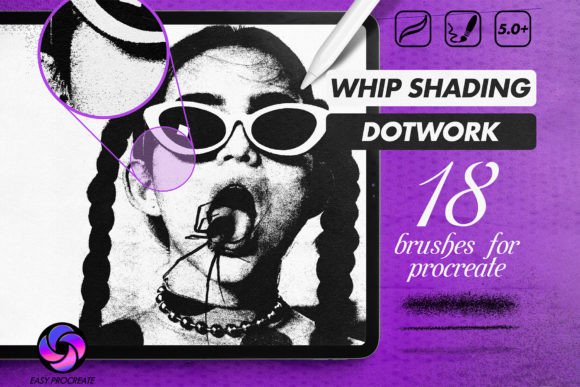
The transition from traditional paper sketching to digital tattoo design has revolutionized how artists conceptualize ink. For decades, the tactile feedback of a needle hitting skin or pencil hitting paper was considered irreplaceable. However, modern tools have bridged this gap, allowing creators to replicate the organic imperfections of hand-poked and machine-shaded work directly on an iPad. At the forefront of this digital evolution are specialized Whip Shading Dot Work Brushes, designed specifically for Procreate to mimic the authentic behavior of tattoo needles.
Creating a tattoo design is not merely about drawing lines; it is about understanding how ink settles under the skin, how gradients form through spacing, and how texture adds depth. The Whipshade Stipple Brushset addresses these nuances by offering high-resolution brushes that respond dynamically to pressure. This technology allows artists to experience the real feel of a tattoo needle, where a light touch creates delicate dots and increased pressure results in denser, darker shading. By integrating these tools into your workflow, you can produce graphic drawings and tattoo flash sheets that look ready for the studio floor.
The Mechanics of Digital Whip Shading
Whip shading, often referred to as "whip shading" or "feathering," is a technique traditionally used to create soft gradients and smooth transitions between solid blackwork and negative space. In a physical setting, this requires significant skill and control over the tattoo machine’s speed and hand movement. Digitally, replicating this effect without the right tools often results in uniform, computer-generated looks that lack soul.
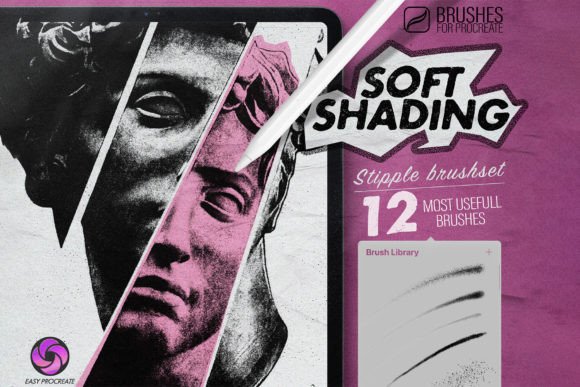
This is where the specific engineering of Procreate brushes for graphic drawing becomes essential. Unlike standard round brushes that simply change opacity or size, whip shading brushes are calibrated to simulate the scatter and density of ink particles. When you use the Whipshade Stipple Brushset, the brush engine interprets the velocity and pressure of your Apple Pencil. A quick, light flick produces a tapered end characteristic of a well-executed whip shade, while a slower, heavier drag deposits more "ink," creating a solid anchor point.
The beauty of this system lies in its versatility. You do not need fifty different brushes to achieve varied results. Instead, a single brush from the set can yield completely different textures just by adjusting its degree of transparency or altering your hand pressure. This mimics the real-world scenario where a tattoo artist might dilute ink or change their needle depth to achieve subtle tonal variations. For graphic designers working on illustrative tattoos, this level of control ensures that the final design retains a handcrafted aesthetic rather than appearing sterile or overly polished.
Stippling and Dot Work: Precision Meets Patience
Dot work, or stippling, is another cornerstone of modern tattoo artistry, particularly in styles like blackwork, geometric, and mandala designs. Traditionally, this is one of the most time-consuming techniques, requiring thousands of individual punctures to build up shade and form. Digital stippling brushes offer a pragmatic solution, allowing artists to visualize complex dot patterns in minutes rather than hours.
However, not all digital dot brushes are created equal. Many standard scatter brushes produce uniform, robotic patterns that fail to capture the organic irregularity of hand-poked dots. The Whip Shading Dot Work Brushes included in professional sets are designed with randomness and texture in mind. They introduce slight variations in dot size and spacing, emulating the natural human error that gives hand-poked tattoos their charm. This is crucial for clients who value the authenticity of the process, even during the design phase.
When creating graphic drawings, these stipple brushes allow for intricate shading without the muddiness that can occur with standard smudge tools. You can build up density layer by layer, maintaining crisp edges and clean contrasts. This is particularly useful for illustrative tattoos that rely on high-contrast imagery, such as neo-traditional or fine-line blackwork. The ability to toggle between sparse, airy dots and dense, near-solid clusters provides a dynamic range that enhances the visual impact of the design.
Streamlining the Installation and Workflow
One of the common barriers for artists adopting new digital tools is the complexity of installation. Fortunately, the workflow for integrating the Whipshade Stipple Brushset into Procreate is designed to be seamless. After purchase, users receive a direct link to download the file. There is no need for complex unzipping processes or manual folder navigation on a desktop computer.
- Download the File: Click the provided link on your iPad to download the brushset file directly to your device.
- Open in Procreate: Tap the downloaded file. Your iPad will recognize the format and automatically open it within the Procreate application.
- Automatic Installation: The brushset installs itself instantly, appearing in your brush library ready for immediate use.
This simplicity ensures that artists can spend less time troubleshooting software and more time creating. It is important to note that these brushes are optimized exclusively for Procreate on the iPad. They leverage the specific pressure sensitivity and tilt recognition capabilities of the Apple Pencil within the Procreate environment. Attempting to use them in other software may result in lost functionality, such as the nuanced pressure response that defines the whip shading effect.
Enhancing Graphic Drawing and Client Communication
Beyond technical execution, these brushes play a vital role in client communication. When presenting a tattoo design, clients often struggle to visualize how a flat digital drawing will translate to skin. Designs created with Procreate brushes for graphic drawing that mimic real ink behavior help bridge this gap. A whip-shaded gradient in the digital file looks remarkably similar to the healed result on skin, reducing misunderstandings and setting realistic expectations.
Furthermore, the flexibility of digital tools allows for rapid iteration. If a client wants a softer transition or a denser dot pattern, you can adjust the transparency of the brush or swap to a different variant within the set in seconds. This agility is invaluable in a consultation setting, where being able to modify a design on the fly demonstrates professionalism and adaptability. You can experiment with different shading densities without committing to permanent ink, ensuring that both the artist and the client are fully satisfied with the composition before the needle ever touches skin.
Choosing the Right Tools for Your Style
While the Whipshade Stipple Brushset covers a broad spectrum of needs, understanding how to maximize its potential requires practice. Artists should experiment with the pressure curve settings in Procreate to match their personal drawing style. Some prefer a steeper curve for dramatic contrast, while others opt for a linear response for more consistent shading. Additionally, combining these specialized brushes with standard linework tools can create a balanced composition where bold outlines anchor delicate, textured shading.
It is also worth considering the resolution of your canvas. High-resolution brushes perform best on canvases set to 300 DPI or higher, ensuring that the dots and gradients remain crisp when scaled or printed. This attention to detail ensures that your digital files are not only visually appealing on screen but also suitable for printing stencils or reference sheets.
In conclusion, the integration of Whip Shading Dot Work Brushes into your digital toolkit represents a significant upgrade for any tattoo artist or graphic designer. By replicating the tactile nuances of traditional methods, these tools empower creators to produce authentic, high-quality designs efficiently. Whether you are crafting intricate dot work mandalas or soft, feathered portraits, the ability to control texture through pressure and transparency opens up new avenues for artistic expression. Embrace the technology, refine your technique, and let your digital designs reflect the same passion and precision as your final ink.