Mastering Soft Shading Stipple Brushes in Procreate for Unique Digital Art
In the rapidly evolving world of digital illustration, texture is often the differentiating factor between a flat image and a captivating piece of art. For artists using Procreate on the iPad, finding the right tools to create depth without sacrificing clarity can be a challenge. This is where Soft Shading Stipple Brushes come into play. These specialized tools are indispensable for creating soft, textured shadows that add realism and character to your work. Whether you are a seasoned professional or a beginner just starting your creative journey, understanding how to leverage these brushes can significantly elevate your artistic output.
The Power of Stippling in Modern Digital Art
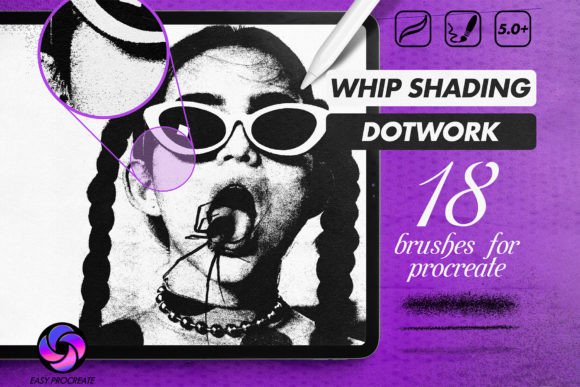
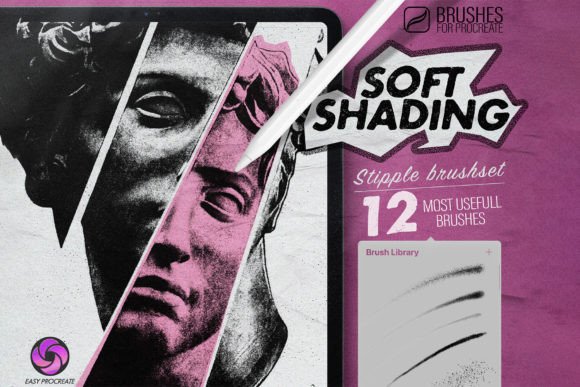
Stippling is a traditional technique that involves creating patterns, shading, and textures using small dots. Historically, this method was used in pen-and-ink drawings and etchings. In the digital realm, however, stippling takes on a new life. Soft Stipple brushes allow artists to replicate this organic feel with the convenience of digital adjustability. Instead of manually placing thousands of dots, these brushes automate the process while maintaining a hand-drawn aesthetic.
The significance of these brushes lies in their versatility. They are not limited to a single style or medium. From tattoo sketches that require precise dot-work shading to vibrant posters and trendy clothing designs, stipple brushes provide a unique visual language. They help accentuate your own style by introducing a tactile quality to digital screens, making your artwork stand out in a saturated market.
Why Texture Matters in Digital Drawings
One common misunderstanding among new digital artists is that smooth gradients are always superior. While smoothness has its place, it can often result in sterile or generic-looking images. High-quality digital drawings benefit immensely from the imperfection and grain that stipple brushes offer. This texture mimics the way light interacts with real-world surfaces, adding a layer of sophistication and authenticity to your work.
For example, when designing a logo for a clothing brand, a soft stipple effect can give the design a vintage or handcrafted feel, which is highly valued in modern fashion marketing. Similarly, in tattoo design, stippling allows for smooth transitions in shading that heal better and look cleaner on skin compared to solid black fills. By integrating these brushes into your workflow, you are not just drawing; you are crafting an experience for the viewer.
Customization: The Key to Uniqueness
A standout feature of high-quality brush sets is their adaptability. The Soft Shading Stipple Brushes discussed here are fully adjustable in both size and opacity. This level of control allows you to customize the set to your specific needs, ensuring that no two artworks look exactly the same.
- Size Adjustment: By changing the brush size, you can switch from broad, atmospheric shading to fine, detailed dot-work. Large sizes are perfect for background textures, while smaller sizes excel in intricate details.
- Opacity Control: Adjusting opacity lets you build up layers of shadow gradually. This is crucial for achieving a natural look, as it prevents harsh lines and allows for subtle tonal variations.
This flexibility gives even more uniqueness to your artwork. Just by moving a slider, you can transform a bold, graphic statement into a delicate, ethereal whisper. This dynamic range ensures that the brushes remain useful across various projects, from bold poster art to subtle portrait shading.
Who Are These Brushes For?
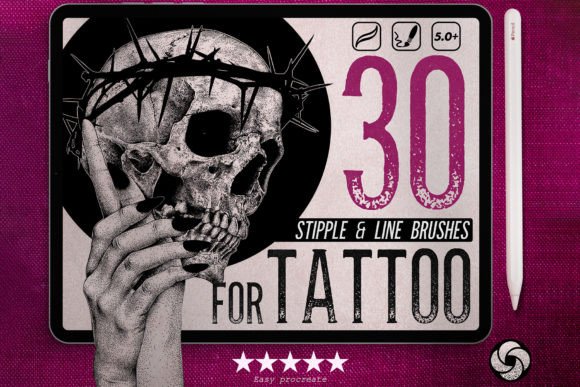
Designed by a professional tattoo artist, this set of 12 popular brushes is tailored for creative people who value precision and style. While the origin is rooted in tattooing, the application is broad. Illustrators, graphic designers, hobbyists, and students can all benefit from this toolset. If you are looking to expand your digital toolkit with resources that offer both ease of use and professional results, these brushes are an excellent investment.
The set includes the most used and versatile stipple variations, saving you the time of creating them from scratch. This allows you to focus on what truly matters: your creativity and expression.
Practical Applications Across Industries
Understanding the theoretical benefits is one thing, but seeing how these brushes fit into daily creative activities is another. Here are a few practical scenarios where Soft Stipple brushes shine:
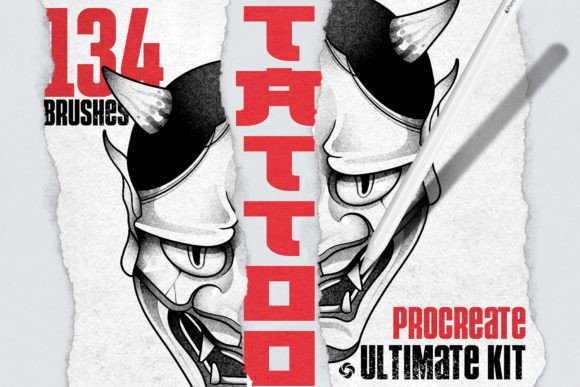
- Tattoo Sketches: As mentioned, stippling is a core technique in many tattoo styles, particularly blackwork and geometric designs. These brushes allow artists to preview how dot-work will look on skin, ensuring balanced composition before the needle touches the client.
- Poster Design: In graphic design, texture adds depth. Using stipple brushes for backgrounds or shadow elements can make a poster pop off the page, adding a retro or artisanal vibe that appeals to modern audiences.
- Clothing and Merchandise: When designing prints for t-shirts or hoodies, simple solid colors can sometimes look flat. Adding a stippled texture can create visual interest and make the design feel more premium and thoughtful.
- Digital Illustrations: For character artists and concept designers, these brushes are perfect for rendering skin tones, fabric textures, and environmental atmospheres. They provide a quick way to add complexity without overworking the piece.
How to Install and Get Started
Getting started with your new brushes is straightforward. The installation process is designed to be user-friendly, ensuring that you can begin creating immediately after purchase. Follow these simple steps to integrate the Soft Shading Stipple Brushes into your Procreate library:
First, complete your purchase to receive the download link. You will be provided with a file specifically formatted for Procreate. It is important to note that these brushes only work on Procreate for the iPad, so ensure you have the app installed on your device.
Once the file is downloaded, open it directly on your iPad. If you are using Safari or another browser, tap the file, and it should prompt you to open it in Procreate. Upon opening, the brush set will automatically install and become available in your brush library. You will typically find them in a new folder named after the set, keeping your workspace organized.
If you encounter any issues during this process, do not hesitate to reach out. Support is available to help troubleshoot installation problems, ensuring a smooth experience. Please let me know if you have any questions or need further assistance. Your satisfaction and ability to create freely are the top priorities.
Maximizing Your Creative Potential
To truly master these tools, experimentation is key. Try combining different brushes from the set. Use a larger, softer stipple for the base shadow and a smaller, harder stipple for the core shadow. Play with layer blending modes in Procreate, such as Multiply or Overlay, to see how the texture interacts with underlying colors. This exploratory approach will help you discover unique combinations that define your personal style.
Remember, the goal is not just to use the brushes, but to understand how they can serve your artistic vision. Tap on the image in the product gallery to see examples in full detail, observing how the dots cluster and disperse to create form. This visual reference can guide your own practice and inspire new techniques.
Conclusion
Incorporating Soft Shading Stipple Brushes into your Procreate workflow is a step towards more nuanced and professional digital art. They bridge the gap between traditional textural techniques and modern digital efficiency. By offering adjustability, versatility, and a unique aesthetic, these brushes empower you to create work that is distinctly yours. Whether you are designing for commercial clients or expressing personal creativity, these tools provide the foundation for high-quality, textured masterpieces. Embrace the dot, explore the possibilities, and let your art speak with a new voice.