Master Manga Art with 104 MagicPro Brushes
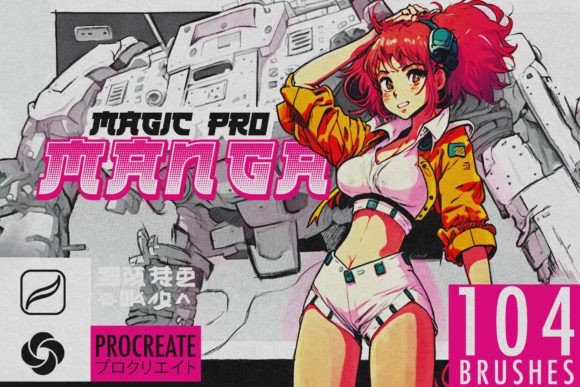
Digital illustration has democratized the creation of comics and anime-style art, but the right tools remain the differentiator between amateur sketches and professional-grade panels. For artists working on the iPad, the 104 MagicPro Manga Procreate Brushes offer a specialized toolkit designed to bridge the gap between traditional ink-on-paper aesthetics and digital flexibility. This comprehensive set is not merely a collection of generic stamps; it is a curated system built by experienced manga artists who understand the nuance of line weight, texture, and pacing inherent in the medium.
Why Specialized Tools Matter in Digital Manga
Many creators attempt to force standard round brushes to mimic the behavior of G-pens or maru pens, often resulting in flat, lifeless lines that lack the dynamic pressure sensitivity required for authentic manga expression. The Manga Magic Pro suite addresses this by providing brushes engineered specifically for the Procreate environment. Whether you are a hobbyist looking to refine your weekend sketches or a professional illustrator managing tight deadlines for a webtoon series, having a reliable, pre-configured brush library saves hours of trial and error.
The core value proposition here is efficiency without sacrificing artistic control. By using tools that react predictably to Apple Pencil input, artists can focus on composition and storytelling rather than fighting against software limitations. This is particularly crucial for entrepreneurs and freelancers who bill by the project; reducing technical friction directly impacts productivity and profitability.
Breakdown of the 104-Brush Ecosystem
The sheer volume of 104 brushes might seem overwhelming at first glance, but they are categorized to support every stage of the illustration pipeline. Understanding how to leverage these specific categories can transform your workflow.
- Pencils for Sketching: Before any ink touches the "page," a solid foundation is necessary. These brushes replicate the grain and resistance of graphite, allowing for loose, expressive preliminary drawings that feel organic rather than sterile.
- Fine Liners and Bold Outlines: Manga relies heavily on line variation to convey depth and emotion. The set includes precision tools for intricate details like eyelashes and hair strands, alongside broader strokes for character contours and action lines.
- Shading and Tone Brushes: Instead of manually drawing thousands of dots, these brushes allow for rapid application of screentones and gradients, essential for creating mood and lighting effects.
- Halftone Patterns: Authentic manga aesthetics often depend on halftone dots for shading. These brushes provide seamless patterns that integrate smoothly with your artwork, avoiding the pixelated look common in lower-quality alternatives.
- Seamless Paper Textures: To complete the traditional feel, the pack includes background textures that mimic high-quality manuscript paper, adding a tactile quality to digital files.
Practical Applications Across Industries
While the primary audience is comic artists and illustrators, the utility of the 104 MagicPro Manga Procreate Brushes extends into various professional sectors. Marketers and content creators frequently use anime-style visuals to engage younger demographics on social media platforms. The ability to quickly produce high-quality, stylized graphics can significantly boost brand engagement and communication effectiveness.
Educators and publishers also find value in these tools. Creating custom educational materials or illustrating children’s books with a distinct manga influence requires consistent line work and shading capabilities. For bloggers and online publishers, unique header images and featured illustrations created with these brushes can enhance user experience and strengthen visual branding.
Consider a freelance graphic designer tasked with creating promotional material for a gaming client. Using the bold outline brushes from this set, they can rapidly prototype character designs that align with industry standards. Similarly, an entrepreneur launching a merchandise line could use the halftone and texture brushes to design vintage-inspired apparel graphics that stand out in a crowded market.
Enhancing Usability and Workflow Efficiency
One of the most significant benefits of this brush pack is its intuitive installation and integration. Unlike complex plugin systems that require extensive configuration, these brushes are designed for immediate use. After purchase, users receive a download link. Opening the file on an iPad via Procreate triggers an automatic installation process. This ease of setup ensures that even those less technologically inclined can start creating within minutes.
However, it is important to note that these brushes are exclusive to Procreate. They do not function in Photoshop, Clip Studio Paint, or other digital art applications. This specificity is both a strength and a limitation. It allows the developers to optimize the brushes perfectly for Procreate’s engine, ensuring smooth performance and accurate pressure response, but it does require users to commit to the iPad ecosystem.
Tips for Maximizing Your Creative Output
To get the most out of the Manga Magic Pro brushes, consider adopting a layered approach to your artwork. Start with the sketching pencils on a separate layer to maintain flexibility. When moving to inking, utilize the fine liners for facial features and the bold outlines for body structures. Experiment with the opacity settings of the shading brushes to create subtle gradients rather than harsh blocks of color.
For those new to digital manga creation, start by replicating simple panels from favorite series. This practice helps build muscle memory with the new tools. Pay attention to how the halftone brushes interact with different layer blend modes; sometimes, switching a layer to "Multiply" can yield more natural-looking shadows.
Additionally, keep your Procreate app updated. As Apple and the Procreate development team release new features, brush compatibility and performance can improve. If you encounter any issues during installation or usage, reaching out to the creator is recommended, as they provide support for troubleshooting.
Final Thoughts on Digital Manga Creation
The transition from traditional to digital art does not have to mean losing the soul of hand-drawn manga. With the 104 MagicPro Manga Procreate Brushes, artists gain access to a robust toolkit that respects the traditions of the medium while leveraging the power of modern technology. Whether you are refining your craft as a hobbyist or scaling your output as a professional creator, these tools provide the precision, variety, and authenticity needed to bring your visions to life.
By investing in specialized resources, you signal a commitment to quality that resonates with audiences and clients alike. In a digital landscape saturated with generic content, the distinct look and feel achieved through proper tooling can be your competitive edge. Explore the possibilities, experiment with the textures, and let your creativity flow without technical barriers.