Mastering Digital Gouache: A Guide to 10 Procreate Brushes for Authentic Texture
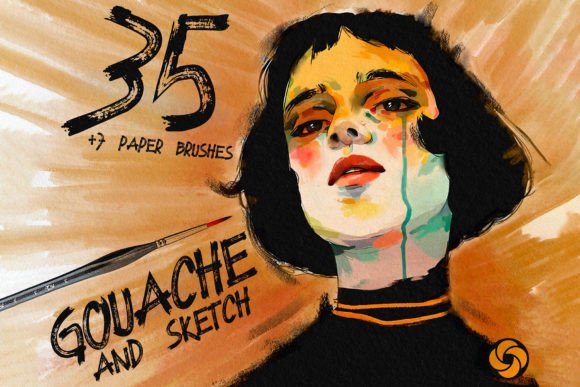
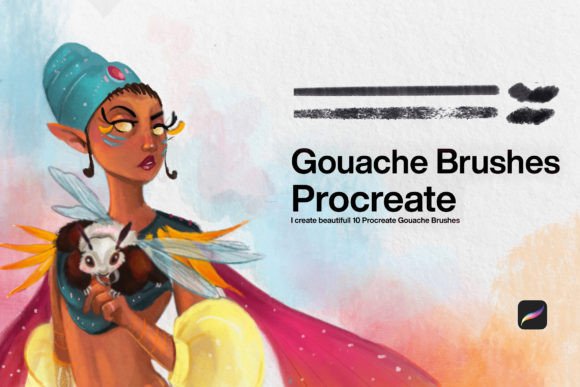
The transition from traditional media to digital illustration often presents a specific challenge for artists: replicating the tactile satisfaction of physical paint. Among the most beloved traditional mediums is gouache, known for its matte finish, opacity, and vibrant color stacking capabilities. For iPad users seeking to bridge this gap, 10 Gouache Brushes Procreate offer a sophisticated solution. These tools are not merely filters; they are engineered simulations designed to mimic the behavior of pigment on paper, allowing creators to paint with the same intuitive freedom they would experience at an easel.
Understanding the Digital Gouache Experience
Gouache is distinct from watercolor and acrylics. It is opaque, reworkable, and dries to a flat, velvety matte surface. Capturing these nuances digitally requires more than just a round brush with low opacity. The 10 Gouache Brushes for Procreate are curated to address the specific physics of this medium. When you use your iPad as you would paint with Gouache brushes, you are engaging with a system that understands pressure sensitivity, tilt, and texture overlay.
The primary value of this collection lies in its diversity. A single brush cannot replicate every aspect of gouache painting. Sometimes you need a dry, scratchy stroke for texture; other times, you need a smooth, creamy flow for blending. This set provides ten distinct variations, ensuring that whether you are illustrating children’s books, creating concept art, or designing social media graphics, you have the right tool for the job.
Key Characteristics of the Brush Set
To truly leverage these tools, it is essential to understand what makes them effective. Here are the core features that define high-quality digital gouache simulations:
- Opacity Control: Unlike watercolors, gouache covers underlying layers. These brushes are calibrated to provide high opacity, allowing for easy corrections and layering without muddying colors.
- Edge Variation: Real gouache leaves hard edges when wet and soft edges when blended. The brushes include dynamic edge settings that respond to your Apple Pencil speed and pressure.
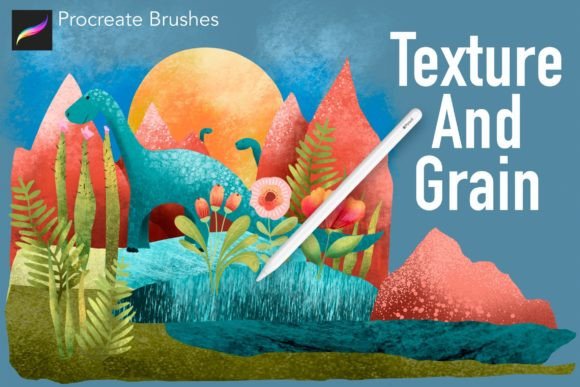
- Texture Integration: Paper grain is crucial for the gouache look. The brushes incorporate subtle noise and texture maps that simulate cold-press or hot-press paper surfaces.
- Color Mixing: While Procreate handles color mixing globally, these brushes are optimized to blend naturally on the canvas, mimicking the way wet pigment interacts on a palette or paper.
Practical Applications for Creators
Who benefits most from using 10 Gouache Brushes Procreate? The answer spans a wide range of creative professionals and hobbyists. Because gouache has a friendly, approachable aesthetic, it is particularly popular in commercial illustration.
- Children’s Book Illustrators: The soft, matte finish of gouache is a staple in publishing. These brushes allow illustrators to create warm, inviting characters and backgrounds that feel hand-painted.
- Concept Artists: Speed is critical in concept art. The opacity of gouache allows for rapid blocking-in of shapes and values. Digital versions enable even faster iteration through undo functions and layer management.
- Graphic Designers: For projects requiring a human touch, such as packaging design or editorial headers, digital gouache adds organic warmth that vector graphics often lack.
- Hobbyists and Students: For those learning color theory, gouache is forgiving. The digital equivalent removes the cost of materials and the mess of cleanup, making practice accessible anywhere.
Real-World Scenarios and Workflow Tips
Integrating these brushes into your workflow requires a shift in mindset. Here is how you might approach a typical project using the 10 Gouache Brushes for Procreate.
Scenario 1: The Landscape Study
Start with a large, textured brush from the set to block in the sky and ground. Use broad, confident strokes. Because digital gouache dries instantly, you can immediately layer darker tones for trees or mountains without waiting. Use a smaller, smoother brush from the pack to add details like leaves or rocks. The key here is to build from general to specific, leveraging the opacity to correct mistakes as you go.
Scenario 2: Character Design
Begin with a mid-tone base color. Use the brushes’ tilt function to create varied line weights for outlines. When shading, avoid pure black. Instead, pick a darker hue of your base color and paint over it. The matte nature of the brushes ensures that shadows look natural and integrated, rather than glossy or artificial.
Evaluating Suitability for Your Needs
Not every project requires a gouache aesthetic. Before committing to this style, consider the following factors:
Do you need scalability? If your final output needs to be resized significantly without loss of quality, remember that raster-based brushes (like these) are resolution-dependent. Always start your canvas at a high DPI (300 or higher) to ensure crisp edges.
Is the matte finish appropriate? Gouache is inherently flat. If your project requires high-gloss highlights or metallic effects, you may need to supplement these brushes with other tools or post-processing effects in Photoshop.
Strengths and Limitations
Using 10 Gouache Brushes Procreate comes with distinct advantages. The most significant benefit is the ability to experiment without waste. Traditional gouache can crack if applied too thickly or reactivate unexpectedly if wetted again. Digital gouache remains stable, allowing for infinite revisions. Furthermore, the portability of the iPad means you can carry an entire studio in your bag.
However, there are limitations. The tactile feedback of a glass screen differs from toothy paper. Some artists find it helpful to use a matte screen protector to increase friction and better simulate the drag of real paint. Additionally, while the brushes are highly realistic, they still rely on the user’s understanding of light and form. The tool does not paint for you; it merely facilitates the expression of your skill.
Maximizing Value Through Technique
To get the most out of your purchase, focus on technique rather than just the tool itself. Here are three tips for enhancing your digital gouache work:
- Limit Your Palette: Traditional gouache painters often work with limited colors to maintain harmony. Try restricting yourself to five or six colors in Procreate to achieve a cohesive look.
- Use Clipping Masks: To keep edges clean, paint on a new layer and clip it to your base shape. This allows you to experiment with textures and shadows without going outside the lines.
- Embrace Imperfection: The charm of gouache lies in its slight irregularities. Don’t over-smooth your work. Let the texture of the 10 Gouache Brushes for Procreate show through to maintain an organic feel.
Conclusion
The 10 Gouache Brushes Procreate collection represents a powerful intersection of tradition and technology. By providing tools that respect the physical properties of real paint while leveraging the flexibility of digital software, these brushes empower artists to create work that is both authentic and efficient. Whether you are a seasoned professional looking to streamline your workflow or a beginner eager to explore color and form, this set offers a versatile foundation. As with any artistic tool, mastery comes from practice. So, open your iPad, select your favorite brush from the set, and start painting. The only limit is your imagination.