Mastering Digital Grit: A Practical Guide to Texture Grain Procreate Brushes
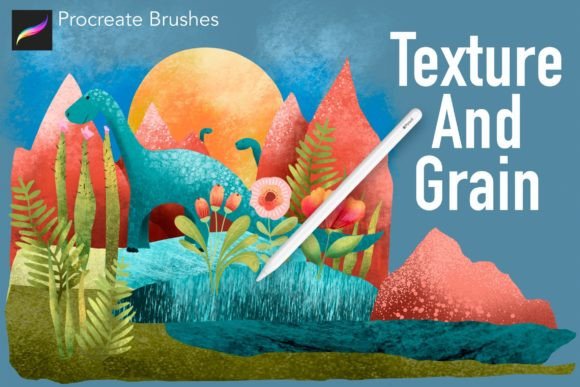
Digital art has long struggled with a specific aesthetic hurdle: the "too clean" look. While vector graphics and standard digital painting tools offer precision, they often lack the organic imperfections that give traditional media its soul. This is where specialized toolsets like Texture Grain Procreate Brushes become essential. Rather than relying on complex layering techniques or external photo overlays, these brushes integrate tactile realism directly into the workflow. For artists seeking to bridge the gap between digital efficiency and analog warmth, understanding how to leverage this marvellous set of 47 unique texture, grit, grunge, and grain brushes can transform flat illustrations into dynamic, collage-style compositions.
The Collage Approach to Digital Painting
The most effective way to utilize this brush set is not merely as a stamping tool, but as part of a layered painting strategy. Many professional illustrators adopt a method that mimics traditional mixed media. The process typically begins with a foundational layer using a clean, tapered brush to establish shapes and basic color blocking. Once the base is secure, the artist engages Alpha Lock on that layer. This crucial step ensures that any subsequent marks remain strictly within the boundaries of the existing pixels, preventing messy bleed-over.
With Alpha Lock enabled, the artist begins to build up color and texture using the grain brushes. This technique creates a cohesive look where the texture feels intrinsic to the object rather than pasted on top. It is, effectively, a digital collage approach. By alternating between adding subtle chalk dust effects and heavier grunge elements, you can simulate the accumulation of material over time. This method works exceptionally well for character design, environmental concept art, and editorial illustrations where mood and atmosphere are paramount.
Versatility Across Materials and Styles
One of the defining strengths of this collection is its range. The set includes 47 distinct brushes, covering a spectrum from fine, almost imperceptible noise to heavy, aggressive distressing. This versatility allows artists to tackle various material simulations without switching software or importing external assets.
- Fine Textures: Ideal for skin tones, paper backgrounds, or soft fabrics. These brushes add just enough visual interest to break up flat colors without overwhelming the subject.
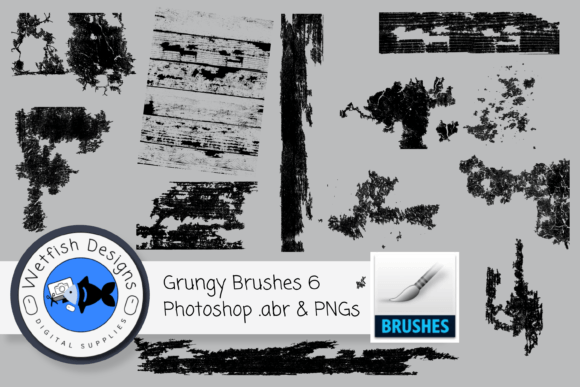
- Heavy Grunge: Perfect for urban scenes, worn machinery, or distressed typography. These stamps and strokes introduce cracks, scratches, and deep shadows.
- Natural Elements: Specific brushes mimic wood grain, stone surfaces, water ripples, and marble veins. These are invaluable for environment artists who need quick, believable surface details.
The ability to go "light or super heavy" means the same toolset can serve a minimalist graphic designer and a detailed fantasy illustrator. For instance, a light touch with a stone texture brush can suggest a concrete wall in the background, while a heavy application can create a foreground element that looks like fractured rock. This scalability is a key factor in evaluating whether a brush pack fits your specific artistic needs.
Comparing Brush Sets to Alternative Methods
When considering how to add texture to digital work, artists generally have three options: using specialized brushes like Texture Grain Procreate Brushes, applying photo overlays, or manually painting textures from scratch. Each approach has distinct tradeoffs regarding time, control, and file size.
Photo Overlays are a common alternative. They involve placing a high-resolution image of concrete, paper, or fabric over the artwork and adjusting blend modes. While this can produce photorealistic results, it often lacks integration. The texture may look like it is sitting on top of the art rather than being part of it. Furthermore, overlays can significantly increase file size and reduce performance on older devices. In contrast, brush-based textures are vector-like in their efficiency; they add detail without bloating the project file.
Manual Painting offers the highest level of control but is incredibly time-consuming. Creating a realistic wood grain or marble effect stroke-by-stroke requires advanced skill and hours of labor. Specialized brushes democratize this process, allowing artists with varying skill levels to achieve professional-grade textures in seconds. However, the tradeoff is potential repetition. If an artist relies too heavily on a single brush stamp without varying angle, size, or opacity, the artwork can begin to look patterned and artificial. The solution lies in the "collage approach" mentioned earlier—combining multiple brushes and layers to break up recognizable patterns.
Evaluating Fit: When to Use This Toolset
Deciding whether to invest in a dedicated texture brush library depends largely on your artistic style and workflow preferences. Texture Grain Procreate Brushes are particularly well-suited for:
- Editorial and Concept Art: Where mood and atmosphere need to be established quickly.
- Print Design: Textures help digital art translate better to physical media by mimicking ink spread and paper tooth.
- Stylized Illustration: Artists who prefer a hand-drawn, imperfect aesthetic over clean, corporate vectors.
However, this toolset may not be the right choice for everyone. If your work focuses on hyper-realistic portraiture where skin texture must be anatomically precise, generic grunge brushes might feel too abstract. Similarly, if you work primarily in clean, flat design styles for UI/UX, heavy texture brushes could clutter the interface and distract from usability. In these cases, a more subtle noise brush or a dedicated halftone set might be a better alternative.
Practical Tips for Natural Results
To avoid the "stamped" look, it is crucial to vary your application. Do not rely on a single brush for an entire piece. Instead, combine a fine chalk dust brush for general tone with a heavier grunge brush for focal points. Adjust the opacity and flow settings frequently. A common mistake is using brushes at 100% opacity, which can look harsh and unnatural. Lowering the opacity to 30–50% allows you to build up texture gradually, creating depth and nuance.
Additionally, consider the direction of your light source. When using texture brushes that imply depth, such as stone or wood, ensure the highlights and shadows in the texture align with the lighting in your scene. This small attention to detail separates amateur-looking composites from professional-grade illustrations.
Making an Informed Decision
Ultimately, adding texture is about enhancing the narrative of your artwork. Whether you choose Texture Grain Procreate Brushes or another method, the goal is to serve the piece. This specific set stands out due to its comprehensive nature—covering everything from subtle grit to bold grunge in a single library. It eliminates the need to hunt for multiple smaller packs, offering a streamlined solution for artists who value efficiency.
Before committing, consider downloading a trial version if available, or reviewing sample artworks created with the set. Look for consistency in the brush engine and ease of use. Remember, the best tool is the one that disappears into your workflow, allowing you to focus on creativity rather than technical hurdles. For many digital artists, this collection provides that seamless bridge between the clean precision of digital tools and the rich, tactile beauty of traditional media.