Procreate Writing Brushes: A Practical Guide
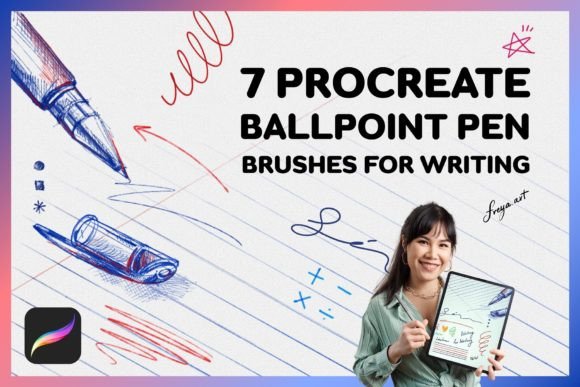
Digital handwriting has evolved from a novelty into a legitimate tool for communication, design, and productivity. For iPad users, the difference between a generic digital line and authentic, textured handwriting often comes down to the tools selected. Procreate Writing Brushes are designed to bridge the gap between the tactile feel of analog stationery and the flexibility of digital art. This specific set of seven ballpoint pen brushes, combined with bonus textures, offers a curated experience for anyone looking to elevate their handwritten content.
Understanding whether these tools fit your workflow requires looking beyond the feature list. It is about matching the right brush dynamics to your specific goals, whether you are a student taking notes, a designer creating mockups, or an entrepreneur branding social media content.
Why Texture Matters in Digital Handwriting
One of the most common complaints among new digital artists is that their writing looks "too perfect" or sterile. Standard digital lines lack the friction, ink variation, and paper grain that give handwriting its human character. This set addresses that by simulating the physical properties of real writing instruments.
The inclusion of a Paper Texture, Grid Texture, and Line Texture as bonuses is not just an aesthetic add-on; it fundamentally changes how the brush interacts with the canvas. When you write on a textured background, the strokes appear more grounded and realistic. For professionals who need their digital work to mimic print materials, this attention to detail is crucial for maintaining credibility and visual appeal.
Tailored Benefits for Different Users
While the core technology remains the same, the value proposition shifts depending on who is holding the Apple Pencil. Here is how different groups might evaluate and utilize this brush set.
For Educators and Students
Clarity and speed are paramount in educational settings. The Fine Writing Brush and Smooth Ballpoint Brush are ideal for note-taking because they offer consistent line weight without excessive lag. Students can use the Grid Texture to organize mathematical equations or structured outlines, making digital notebooks feel familiar and functional. The pressure sensitivity ensures that quick scribbles remain legible, while deliberate strokes carry enough weight to emphasize key concepts.
For Designers and Creatives
Creative professionals often need to add a personal touch to client projects. The Ballpoint Autograph Brush and Gel Pen Autograph Brush allow for signature-style elements that feel organic rather than typed. Designers working on packaging mockups, invitation suites, or brand identity kits can use the Richy Gelly Brush to simulate thick, vibrant marker strokes. The ability to toggle between fine liners and bold gel pens provides the versatility needed to create hierarchy and visual interest in typographic compositions.
For Entrepreneurs and Marketers
In the world of social media marketing, authenticity drives engagement. Handwritten captions on Instagram stories or Pinterest pins often perform better than polished graphics because they feel personal. The Classic Ballpoint Brush mimics the everyday pen most people recognize, creating an immediate sense of relatability. Business owners can quickly create quote graphics, product labels, or behind-the-scenes content without needing advanced graphic design skills. The instant download nature of the product means there is no waiting period, allowing for rapid content creation cycles.
For Hobbyists and Journalers
Digital journaling has surged in popularity due to its convenience and undo capabilities. Hobbyists value the meditative aspect of writing. The Gel Ink Fine Liner Brush offers precision for detailed doodles or bullet journal layouts, while the textured backgrounds provide a cozy, analog atmosphere. For this group, the learning curve is minimal, and the joy comes from experimenting with different ink flows and paper grains to find a style that feels uniquely theirs.
Technical Considerations and Compatibility
Before purchasing, it is vital to understand the technical requirements to ensure these tools integrate smoothly into your existing setup. These brushes are engineered specifically for the Procreate app on iPad. They do not function in Adobe Photoshop, Procreate Pocket, or other desktop software. This specialization allows the developer to optimize the brush engine for Apple’s hardware, but it also limits cross-platform use.
Important Note: The brushes rely heavily on pressure sensitivity. While they can be used with a finger, the full range of expression—from hairline thinness to bold saturation—is best achieved with an Apple Pencil. Users without an Apple Pencil may find the experience limiting, as the nuanced variations in line weight are central to the realistic effect.
Evaluating Quality and Usability
When assessing digital assets, consider three main factors: ease of use, flexibility, and long-term value.
- Ease of Use: This set is designed for immediate implementation. As an instant download, you can import the brushes and start writing within minutes. There is no complex configuration required, making it accessible for beginners who may be intimidated by technical settings.
- Flexibility: With seven distinct brush types, the set covers a wide range of writing styles. From the sharp precision of the fine liner to the soft bleed of the gel pen, you can adapt your toolset to match the mood of your project. The bonus color swatch further aids in quick decision-making during the creative process.
- Long-Term Value: Unlike subscription-based services, this is a one-time purchase. Once downloaded, the brushes are yours to use indefinitely for both personal and commercial projects. For freelancers and small business owners, this represents a low-risk investment with high potential return in terms of content quality.
Making the Right Choice for Your Workflow
If your primary goal is crisp, vector-like typography, these brushes may not be the right fit. They are designed to emulate imperfection and texture. However, if you seek warmth, personality, and a human touch in your digital work, this set offers a compelling solution.
Consider your current pain points. Are your digital notes too rigid? Do your social media graphics feel impersonal? If so, integrating realistic ballpoint and gel pen simulations can transform your output. The variety included in this pack ensures that you are not locked into a single style, allowing you to grow and adapt your handwriting aesthetic over time.
Ultimately, the best tool is the one that disappears into your workflow, letting your ideas flow without friction. By combining reliable pressure response with authentic textures, these Procreate Writing Brushes aim to do exactly that, providing a seamless bridge between thought and digital expression.